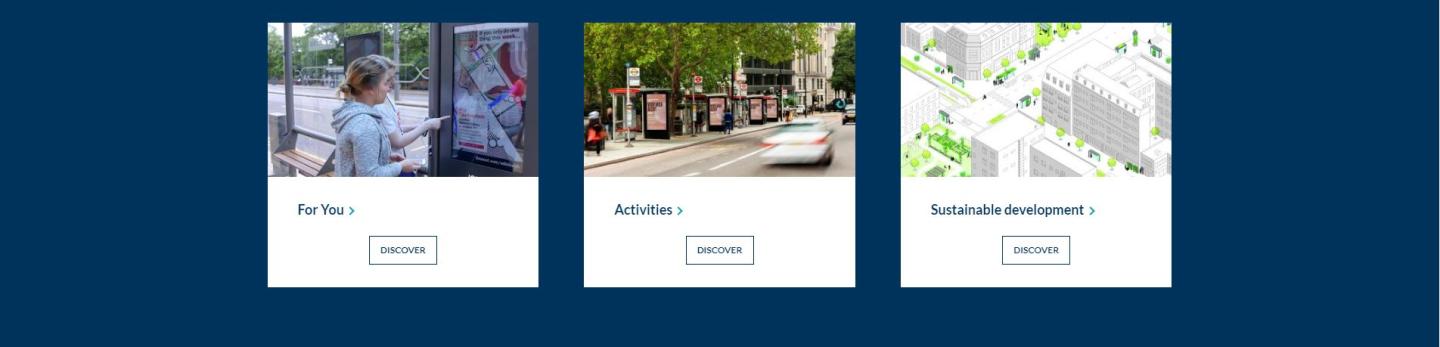
How to create a boxes panel ?
Structure > Block Layout > Add custom block > Boxes panel
Like the other Panels, the boxes Panel is used within a Homepage. (see example of Belgian site)
1. Add title (only visible in back-office)
2. Select Display: Horizontal or Grid.
If you choose Grid in the Custom Block, you can add a title, subtitle and label in the Boxes.
This is only available for a "Specific Page". This is not possible with the "horizontal" choice.
3. Language: First, choose the original language of your site. In the case of the Corp site, for example, the original language is English, so it's essential to create the first contents in English and then translate.
4. Choice of color. Several possibilities: Picture, Main Color, Background Color 1, Background Color 2.
Within a box, you can choose the type of content. This may differ from one box to another. Here are the content types:
- Specific Page
- Latest Blog Post
- Latest Campaign
- Latest Creative Post
- Latest Document
- Latest News
- Latest Press Release
- Next Upcoming Event
- Free HTML
You can add up to ten boxes.